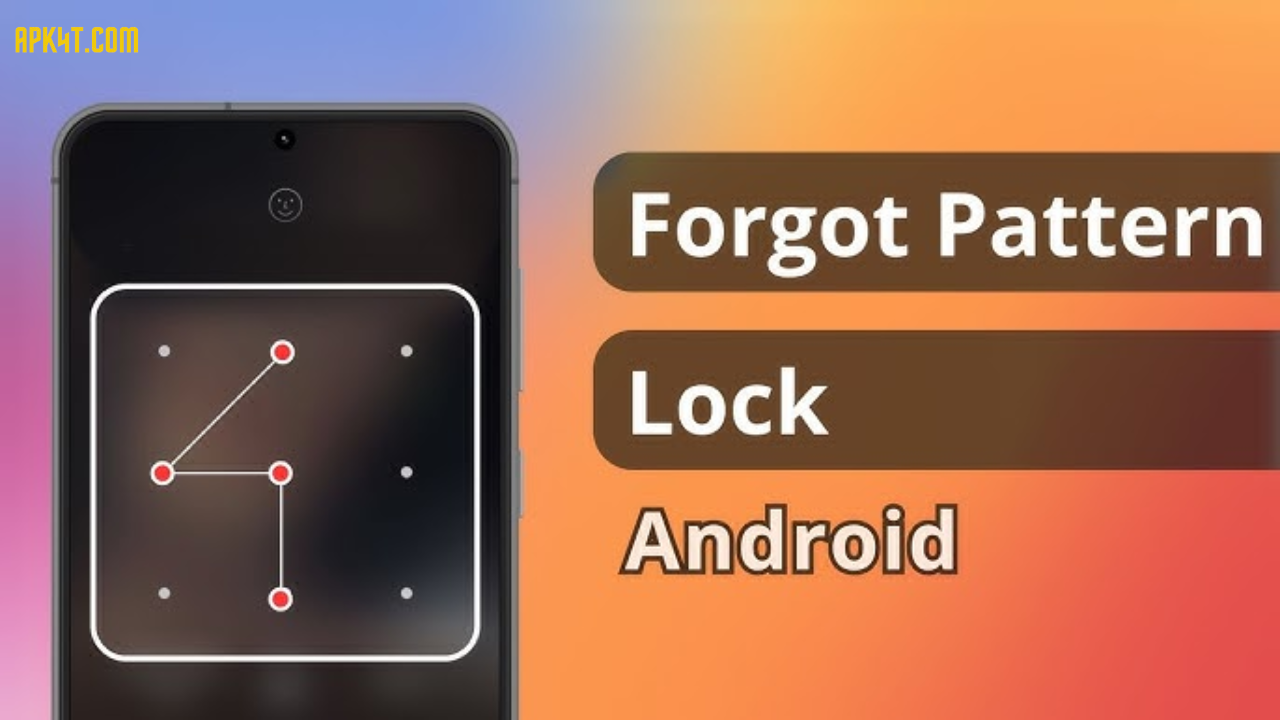

Your smartphone is basically a pocket vault holding your personal photos, banking details, work emails, and private conversations. Yet so many people still use weak lock patterns like simple letters or corners. Here’s the thing: a strong pattern lock takes just seconds to set up, but the security benefit lasts forever.
A pattern lock generator is a smart, simple tool that creates randomized, unpredictable unlock patterns for your Android device. Instead of guessing and testing ideas yourself, you get secure patterns instantly. Whether you’re managing one phone or juggling multiple devices, this tool removes the guesswork and puts real security at your fingertips.
Let’s explore how pattern lock generators work and why they matter more than ever in 2026.
What Is a Pattern Lock Generator Online?
A pattern lock generator is a free online tool (or mobile app) that creates random, complex unlock patterns for Android devices. Think of it as a digital helper that draws secure patterns across a 3×3 grid of nine dots so you don’t have to.
When you use your Android phone, you’ve probably seen that grid of nine dots. Normally, you’d manually swipe across them to create your unlock pattern. The problem? Most people create patterns that follow obvious shapes—the letter Z, an L, or starting from the top-left corner. These patterns are easy to remember but easy to crack too.
A pattern lock generator eliminates human bias. It produces patterns that are genuinely random, difficult to predict, and nearly impossible to guess through shoulder-surfing (watching someone enter their pattern). The best part is that all of this happens instantly with just one click.
Modern generators in 2026 do more than just randomize dots. They let you customize pattern length, complexity levels, and difficulty settings. Some tools even show you how many possible combinations exist or offer practice modes so you can memorize your new pattern before setting it as your actual screen lock.
Key Features & Benefits of Pattern Lock Generators
Pattern lock generators have evolved significantly, and today’s best tools offer far more than basic randomization.
Instant Pattern Creation
No more sitting around thinking. With one click, you get a brand-new secure pattern. This is perfect when you want to change your lock regularly or create multiple patterns for different devices.
Customizable Complexity Levels
Beginners can start with simpler patterns (using 4-5 dots), while security-conscious users can generate patterns using all nine dots. Most tools let you set minimum and maximum path lengths to match your security needs.
Visual 3×3 Grid Display
You see exactly how to draw the pattern thanks to clear arrows and visual guides showing the connection sequence. This means there’s no confusion when setting it on your actual device.
Practice Mode
Before committing to a pattern as your actual lock, many tools offer a practice section. You can rehearse drawing the pattern several times to build muscle memory and ensure you can enter it quickly when needed.
Fast Pattern Regeneration
Don’t like the pattern you got? Generate another one instantly. Keep generating until you find a pattern that feels comfortable to remember and enter.
No Data Collection
The best online generators don’t store or transmit your pattern data. Everything happens locally on your device, keeping your security truly private.
Mobile-Friendly Interface
Modern generators work smoothly on smartphones, tablets, and desktops. You can generate patterns on any device and then set them on your Android phone.
🔒 Pattern Lock Generator
Generate secure Android-style patterns for your device. Enter your mobile model for personalized suggestions.
How Pattern Lock Generators Work
The science behind pattern generators is straightforward but effective. Here’s the process:
Random Dot Selection
The tool randomly selects dots from the 3×3 grid. A standard Android pattern requires connecting at least four dots. Generators can create patterns of any length up to nine dots (all possible nodes).
Connection Algorithm
Once dots are selected, the algorithm connects them in the order they were chosen. The result is a unique path that forms the pattern. Advanced generators ensure the patterns are practical to enter and not impossibly difficult.
Visual Rendering
Your pattern appears on screen with clear arrows showing the exact direction to swipe. This removes any ambiguity about which dots you need to connect and in what sequence.
No Cloud Storage
Quality online generators process everything on your browser. Your pattern never leaves your device, which means no one—not the website owner, not hackers, not advertisers—sees your unlock pattern.
Pattern Lock Generator vs. Manual Pattern Creation
Let’s compare using an online generator against coming up with patterns on your own.
| Feature | Pattern Generator | Manual Creation |
|---|---|---|
| Time Required | Seconds | 5-10 minutes |
| Security Level | High (genuine randomness) | Low to Medium (often predictable) |
| Bias Protection | Eliminates human bias | Susceptible to personal habits |
| Memorability | Optional (try until you find one you like) | Often too easy or too hard |
| Predictability | Very difficult to guess | Easy to guess (letters, corners, diagonals) |
| Multiple Device Support | Create different patterns instantly | Reuse same pattern (security risk) |
| Shoulder-Surfing Risk | Low (random, non-obvious patterns) | High (people often use same shapes) |
The verdict? A generator wins on security, speed, and consistency. Manual creation only wins if you have unlimited time and genuine expertise in random pattern design.
Pros and Cons of Using Pattern Lock Generators
Advantages
Better Security Than Manual Patterns
Studies show 44% of people start patterns from the top-left corner, and 77% start from corners in general. Generators break this predictability entirely.
Saves Time
Instead of testing multiple pattern ideas, you get a secure option in seconds. This makes it practical to change patterns every few months for extra security.
Works on Multiple Devices
If you manage work and personal phones, create a unique, complex pattern for each one without reusing the same lock.
Reduces Guessing
Non-obvious patterns are nearly impossible to crack through guessing attempts. Even with shoulder-surfing, random complex patterns are nearly impossible to replicate from visual observation.
Easy to Practice
Many generators include practice modes so you can rehearse the pattern before setting it as your actual lock. This prevents the frustration of forgetting your new pattern.
Free and Accessible
Most online generators are completely free with no signup required. Just open the tool and start generating patterns.
Disadvantages
Initial Memorization Challenge
If a generator creates a genuinely random, complex pattern, it might take practice to memorize. The trade-off: tougher patterns are harder for others to guess too.
Complexity Can Be Overkill
Some people prefer simpler patterns they can enter in one fluid motion. Highly complex patterns sometimes feel slow to enter repeatedly throughout the day.
Overconfidence in Security
A strong pattern helps, but it’s not a complete security solution. Someone determined to unlock your phone might use face unlock, fingerprint, or backup PIN options if they can’t crack the pattern.
Limited Customization in Some Tools
Not all generators let you customize pattern length or difficulty. You might need to try several tools to find one matching your preferences.
Requires Device Memory
You need to actually remember your pattern. If you forget, you may face account recovery procedures or device factory resets.
How to Create a Secure Pattern Lock (Step-by-Step Guide)
Step 1: Choose Your Tool
Pick a reputable online pattern lock generator. Look for tools that clearly state they don’t collect data and work on your device locally. The best ones show source code transparency or have privacy certifications.
Step 2: Set Your Preferred Complexity
Most generators let you choose pattern length (how many dots to connect) and difficulty level. For maximum security, aim for 7-9 dots. Start with 5-6 dots if you’re worried about memorization.
Step 3: Generate Your Pattern
Click the generate button. The tool creates a random pattern with visual arrows showing the connection sequence. Spend a few seconds understanding the path.
Step 4: Practice (Optional but Recommended)
Many tools include practice modes. Draw the pattern 3-5 times on the virtual grid until it feels natural. This builds muscle memory.
Step 5: Set It on Your Device
Go to Settings > Security > Screen Lock > Pattern on your Android phone. Carefully draw the pattern as shown in the generator (with arrows as your guide). Redraw it to confirm, then save.
Step 6: Update Regularly**
Every 2-3 months, generate a new pattern and update your lock. This prevents someone from potentially learning your pattern through repeated observation.
Essential Tips for Maximum Mobile Security (2026 Update)
Avoid Common Patterns
Never use letter shapes (Z, S, N, L, M, C) or number shapes. Research from Norwegian security analysts found that users tend to default to these obvious patterns, making them inherently weak.
Use Longer Patterns
The more dots you connect, the harder to crack. Android allows up to 9 dots. Using 7-9 dots creates 140,704 possible combinations versus just 1,624 for 4-dot patterns.
Include Crossovers
If your pattern crosses over itself multiple times, it becomes much harder to trace visually. Crossovers create confusion for shoulder-surfers.
Start from Random Positions
Avoid always starting from corners or the top-left. Sometimes start from the middle, bottom, or sides. Variety prevents observers from identifying your starting point.
Change Direction Mid-Pattern
Mix vertical, horizontal, and diagonal lines. Patterns that frequently change direction are harder to predict than ones that follow a single directional flow.
Hide Your Pattern Entry
Go to Settings > Security > “Make Pattern Visible” and disable this option. Your pattern remains hidden as you draw it, preventing people from learning your lock by watching.
Never Share Your Pattern
It might seem obvious, but people still show their patterns to family members, friends, or coworkers “just this once.” Don’t. Keep it completely private.
Use Pattern + Additional Security
Combine your pattern lock with biometric options (fingerprint, face ID) or a backup PIN. This provides defense-in-depth if someone somehow bypasses your pattern.
Common Mistakes People Make with Pattern Locks
Starting from Corners
77% of users start from a corner (top-left, top-right, bottom-left, or bottom-right). This predictability makes patterns easier to crack.
Using Name Initials
Setting patterns that spell your initials, your kid’s name, or loved one’s name is extremely common and easy for people who know you to guess.
Repeating on Multiple Devices
Using the identical pattern on your work phone, personal phone, and tablet means one compromised device compromises all of them.
Not Practicing
Forgetting your pattern because you didn’t practice before setting it creates frustration and can force you to factory reset your device.
Making Patterns Too Simple
While you might think you’ll remember an 8-dot pattern, a 4-dot pattern is forgettable too. Most experts recommend 6-9 dots for the right balance.
Using Obvious Sequences
Connecting dots sequentially (1-2-3-4-5) or following obvious paths (top row, then middle row) is surprisingly common and easily guessed.
Frequently Asked Questions
Q: Is using an online pattern generator safe?
A: Yes, if you choose a reputable tool. Look for generators that clearly state they don’t collect, store, or transmit your pattern data. The best ones process everything locally on your device. Check user reviews and privacy policies before using any tool. Avoid generators from unknown sources or those that ask for unnecessary personal information.
Q: How many possible Android pattern combinations exist?
A: Android calculates this mathematically. For a 3×3 grid with 9 dots, the total number of possible patterns is approximately 389,112 combinations. When you specifically use all 9 dots, there are 140,704 unique combinations. These numbers demonstrate why strong patterns are extremely hard to crack through random guessing.
Q: Will I forget my generated pattern?
A: Possibly, if you don’t practice. That’s why the best generators include practice modes. Spend 2-3 minutes rehearsing the pattern before setting it as your actual lock. Your muscle memory will take over, and you’ll enter it naturally. If you’re concerned, try a few generated patterns and pick the one that feels most intuitive to you.
Q: Can someone bypass my pattern lock?
A: A strong pattern makes unauthorized access very difficult. However, patterns aren’t foolproof. Android provides backup unlock methods (PIN, fingerprint, face ID) that can be used if you forget your pattern. Additionally, someone with physical device access might try factory reset tools. For top security, combine your pattern with other authentication methods.
Q: How often should I change my pattern lock?
A: Change it every 2-3 months for optimal security. Regular changes limit the window of exposure if someone observes your pattern being entered repeatedly. Also change your pattern immediately if you suspect someone has seen it, even accidentally.
Q: Are pattern locks more secure than PINs or passwords?
A: Pattern locks and PINs offer similar security when both are strong. A 9-dot pattern is arguably more secure than a standard 4-digit PIN (10,000 combinations) because patterns have far more possible combinations. However, patterns are more vulnerable to shoulder-surfing if someone watches you enter it. Using biometric unlock (fingerprint, face) combines the best of both worlds.
Q: Do pattern generators work on iOS iPhones?
A: iOS devices don’t use Android-style pattern locks. iPhones use Face ID, Touch ID, or numeric PINs. However, many apps on iOS support pattern-based authentication, and you can use pattern generators to create custom patterns for those apps.
Q: What’s the best pattern length for security?
A: Use 7-9 dots for maximum security. Research shows 6-8 dots provides an excellent balance between security and memorability. Anything less than 5 dots is generally considered weak. Test a few generated patterns to find the sweet spot between complexity and your ability to remember the pattern.
Final Thoughts
Your smartphone holds your life—photos, messages, banking apps, personal files, and private communications. Protecting it with a strong pattern lock is one of the simplest, fastest ways to add a genuine security layer without any technical skills required.
Pattern lock generators in 2026 make this easier than ever. Instead of guessing, experimenting, and hoping you’ve created something secure, you get randomized, tested, unpredictable patterns in seconds. Pair that tool with best-practice security habits (long patterns, avoiding common shapes, regular updates, practice before setting), and you’ve created a mobile lock that’s genuinely hard to crack.
The bottom line? Spend 30 seconds using a pattern lock generator, practice for a minute, and set a pattern that will protect your phone far better than most people’s manual attempts. Your digital security is worth that tiny investment of time.
Ready to upgrade your phone’s security? Generate a strong, secure pattern today using a trusted online tool, practice it a few times, and set it immediately. Your future self will thank you when your personal data stays exactly where it belongs—locked away from unauthorized access.









Ман пароли телефонамро аз ёд баровардам
Redmi